
Receipt & Invoice Capture, Match, Categorize
Clyr automates the capture, matching, and categorization of receipts and invoices to simplify expense management.
Introduction
Clyr automates receipt and invoice capture, matching, and categorization for streamlined expense management.
What is the Clyr AI Chrome extension/plugin?
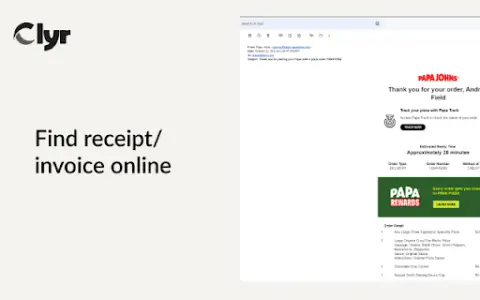
Clyr's receipt and invoice capture extension is designed to simplify expense and spend management. It automates the process of capturing, matching, and categorizing receipts and invoices, turning a multi-step process into a fast, automated operation.
How do I use the Clyr AI Chrome extension/plugin?
1. Install the Clyr extension.
2. Log in to or sign up for a Clyr account.
3. When you receive a receipt or invoice online, click the Clyr icon in the toolbar.
4. Capture an image, and it will be automatically matched and categorized in your Clyr account.
2. Log in to or sign up for a Clyr account.
3. When you receive a receipt or invoice online, click the Clyr icon in the toolbar.
4. Capture an image, and it will be automatically matched and categorized in your Clyr account.
Core features of the Clyr AI Chrome extension/plugin
Receipt and invoice capture
Seamless integration with accounting platforms
Supports multiple card types
Real-time notifications
Automatic matching and intelligent classification
Seamless integration with accounting platforms
Supports multiple card types
Real-time notifications
Automatic matching and intelligent classification
Visits:5
Updated:2026-11-05






1
 2
 3
 4
 5
 6
 7
 8
 9
 10

Zlibrary
Zlibrary is known as the world's largest digital library, containing 9,826,996 e-books and 84,837,646 journal articles. From various well-known literary works, science and engineering, humanities and arts, to academic papers, etc.! Support PDF, epu
HeyGen
AI digital human video generation
LinkFox AI
为跨境电商提供的AI工具
堆友AI
堆友是Alibaba Design打造的设计师全成长周期服务平台,围绕品质、效率、技能、成就、收入五大用户价值布局平台能力,全力服务设计师,旨在成为设计师的好朋友。
堆友历经大厂设计师团队多轮打磨雕刻,集海量高品质3D素材、实时在线渲染、多元场景功能应用、轻便好学易上手等多重优势于一身的设计神器,更自带免费可商用属性,为专业设计师、运营工友、学生小白、社交达人提供了一个零成本的在线设计站点和资源库。
OptimizerAI
AI音效生成器,基于文本或音频生成无限高质量声音。
Riffusion
生成式AI乐器,能够根据文本提示创建、重混和分享高品质歌曲。
PDF Converter
免费在线工具,用于转换和编辑 PDF 文件。
StockTune
StockTune 提供人工智能生成的免版税音乐,供内容创作者使用,无需署名。
PixPix
AI电商套图与视频生成
Async
A video suite that allows you to edit videos while chatting
1
2
3
4
5
6
7
8
9
10

Zlibrary
Zlibrary is known as the world's largest digital library, containing 9,826,996 e-books and 84,837,646 journal articles. From various well-known literary works, science and engineering, humanities and arts, to academic papers, etc.! Support PDF, epu
LinkFox AI
为跨境电商提供的AI工具
HeyGen
AI digital human video generation
堆友AI
堆友是Alibaba Design打造的设计师全成长周期服务平台,围绕品质、效率、技能、成就、收入五大用户价值布局平台能力,全力服务设计师,旨在成为设计师的好朋友。
堆友历经大厂设计师团队多轮打磨雕刻,集海量高品质3D素材、实时在线渲染、多元场景功能应用、轻便好学易上手等多重优势于一身的设计神器,更自带免费可商用属性,为专业设计师、运营工友、学生小白、社交达人提供了一个零成本的在线设计站点和资源库。
PixPix
AI电商套图与视频生成
OptimizerAI
AI音效生成器,基于文本或音频生成无限高质量声音。
PDF Converter
免费在线工具,用于转换和编辑 PDF 文件。
Riffusion
生成式AI乐器,能够根据文本提示创建、重混和分享高品质歌曲。
StockTune
StockTune 提供人工智能生成的免版税音乐,供内容创作者使用,无需署名。
高性价比人生指南HowToLiveBetter
手机里还有哪些会员在自动扣费?常用邮箱的密码,有没有和其他网站重复?租房合同里,押金到底什么时候退? 这些事单独拿出来,都不算复杂。但没人提醒的时候,很容易踩坑。今天分享一个 GitHub 60.5k
1
2
3
4
5
6
7
8
9
10
Zlibrary
Zlibrary is known as the world's largest digital library, containing 9,826,996 e-books and 84,837,646 journal articles. From various well-known literary works, science and engineering, humanities and arts, to academic papers, etc.! Support PDF, epu
LinkFox AI
为跨境电商提供的AI工具
HeyGen
AI digital human video generation
堆友AI
堆友是Alibaba Design打造的设计师全成长周期服务平台,围绕品质、效率、技能、成就、收入五大用户价值布局平台能力,全力服务设计师,旨在成为设计师的好朋友。
堆友历经大厂设计师团队多轮打磨雕刻,集海量高品质3D素材、实时在线渲染、多元场景功能应用、轻便好学易上手等多重优势于一身的设计神器,更自带免费可商用属性,为专业设计师、运营工友、学生小白、社交达人提供了一个零成本的在线设计站点和资源库。
PixPix
AI电商套图与视频生成
OptimizerAI
AI音效生成器,基于文本或音频生成无限高质量声音。
PDF Converter
免费在线工具,用于转换和编辑 PDF 文件。
Riffusion
生成式AI乐器,能够根据文本提示创建、重混和分享高品质歌曲。
StockTune
StockTune 提供人工智能生成的免版税音乐,供内容创作者使用,无需署名。
高性价比人生指南HowToLiveBetter
手机里还有哪些会员在自动扣费?常用邮箱的密码,有没有和其他网站重复?租房合同里,押金到底什么时候退? 这些事单独拿出来,都不算复杂。但没人提醒的时候,很容易踩坑。今天分享一个 GitHub 60.5k