咖图-GPT-image-2
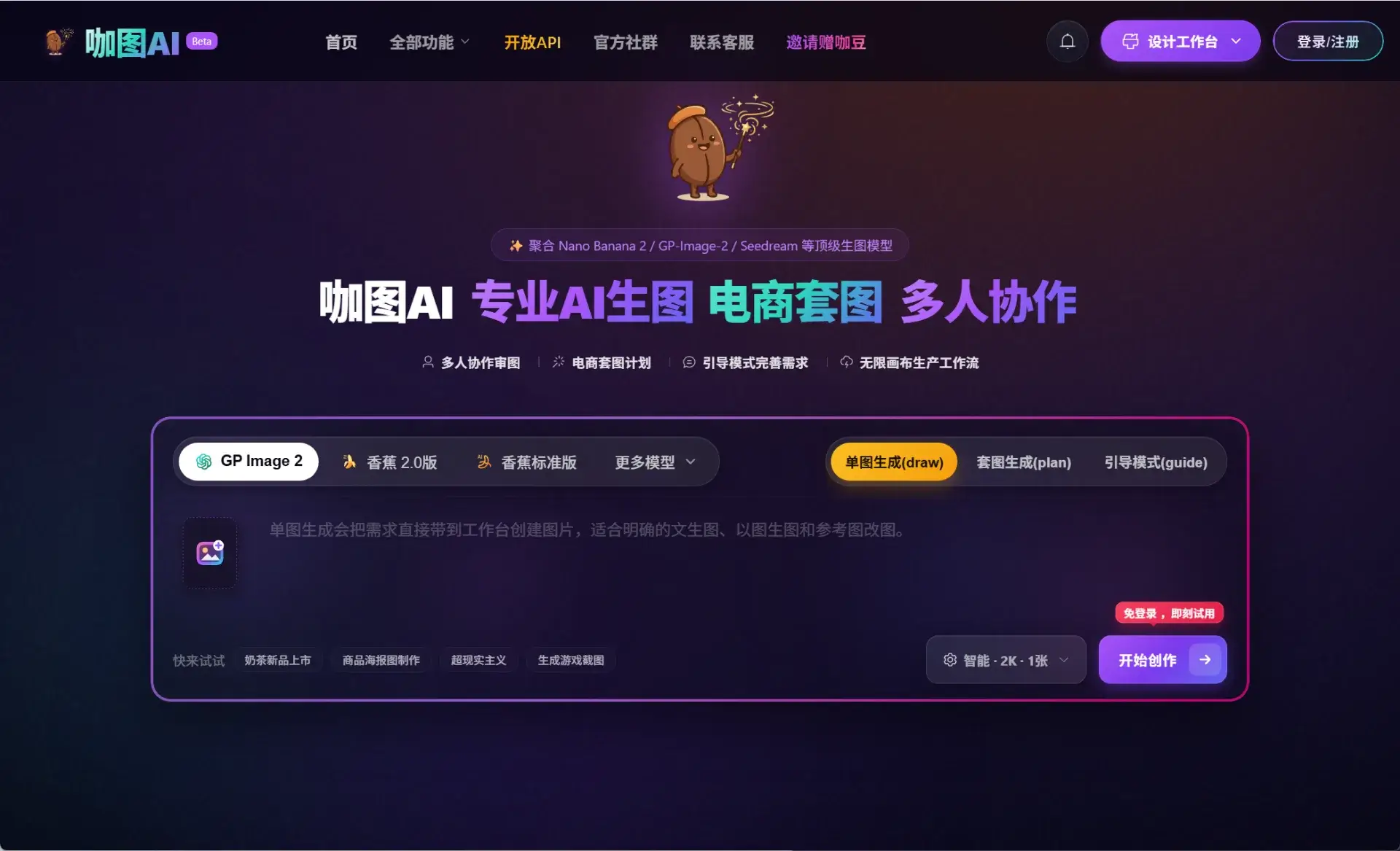
咖图AI是一个AI生图和AI改图工具,官网定位是“专业AI生图 · 电商套图生成”。 它比较大的特点是聚合了多个AI图像模型,比如 GPT Image 2、NanoBanana 2、Seedream/
Introduction
Katu AI is an AI image generation and AI image modification tool. The official website is positioned as "professional AI image generation and e-commerce package image generation".
Its biggest feature is the aggregation of multiple AI image models, such as GPT Image 2, NanoBanana 2, Seedream/SeeDream, etc. In other words, you don’t have to switch back and forth between different platforms, you can choose different models according to the task in one workbench.
Its focus is not on "making pictures by playing with tickets", but more on practical scenarios, such as:
Create e-commerce main images, details page images, event posters, social media covers, SVG icons, brand visual images, or a series of images with a unified style.
For content creators, it is more like an "AI visual material production platform"; for e-commerce operators, it is more like a "product map and marketing map rapid generation tool."
Product features:
The functions of Katu AI can be divided into several directions.
The first one is AI drawing.
You can generate pictures through text descriptions. For example, if you want to make a product promotion picture, a technological cover, a holiday poster, or a character scene picture, you can directly input the requirements to generate it.
The second is AI image modification.
It supports drawing drawings, reference drawing modification, local modification, and style migration. This function is more practical than simply generating pictures, because many times we do not make pictures from scratch, but already have a product picture, reference picture, or poster draft, and just want to make it look better.
For example, changing the background, changing the style, unifying the tone, optimizing the composition, and creating an e-commerce main image style are more suitable for such needs.
The third is the generation of e-commerce package pictures.
This is what Katu AI deserves to focus on. It has a Plan mode that can split a requirement into multiple drawing tasks. For example, if you want to make a set of product pictures, it can help you plan the main picture, selling point picture, scene picture, and detail page picture, instead of just generating an isolated picture.
For e-commerce operators, this function is more valuable than "randomly generating a good-looking picture", because what e-commerce really needs is a complete set of visual content that can be put on the shelves, can be placed, and can explain the selling points.
The fourth is the Ask question mode.
This mode can be used to analyze reference pictures, organize creative directions, optimize prompt words, and plan batch production plans. To put it bluntly, it not only helps you draw pictures, but also helps you figure out "how to make this set of pictures."
The fifth is multi-person collaboration and unlimited canvas.
If used by a team, you can put reference drawings, generated results, and alternatives in one canvas for comparison, making it easier to continue modifying and reviewing drawings. This will be more friendly to design teams, e-commerce teams, and small self-media teams.
The sixth one is AI graphic design and SVG generation.
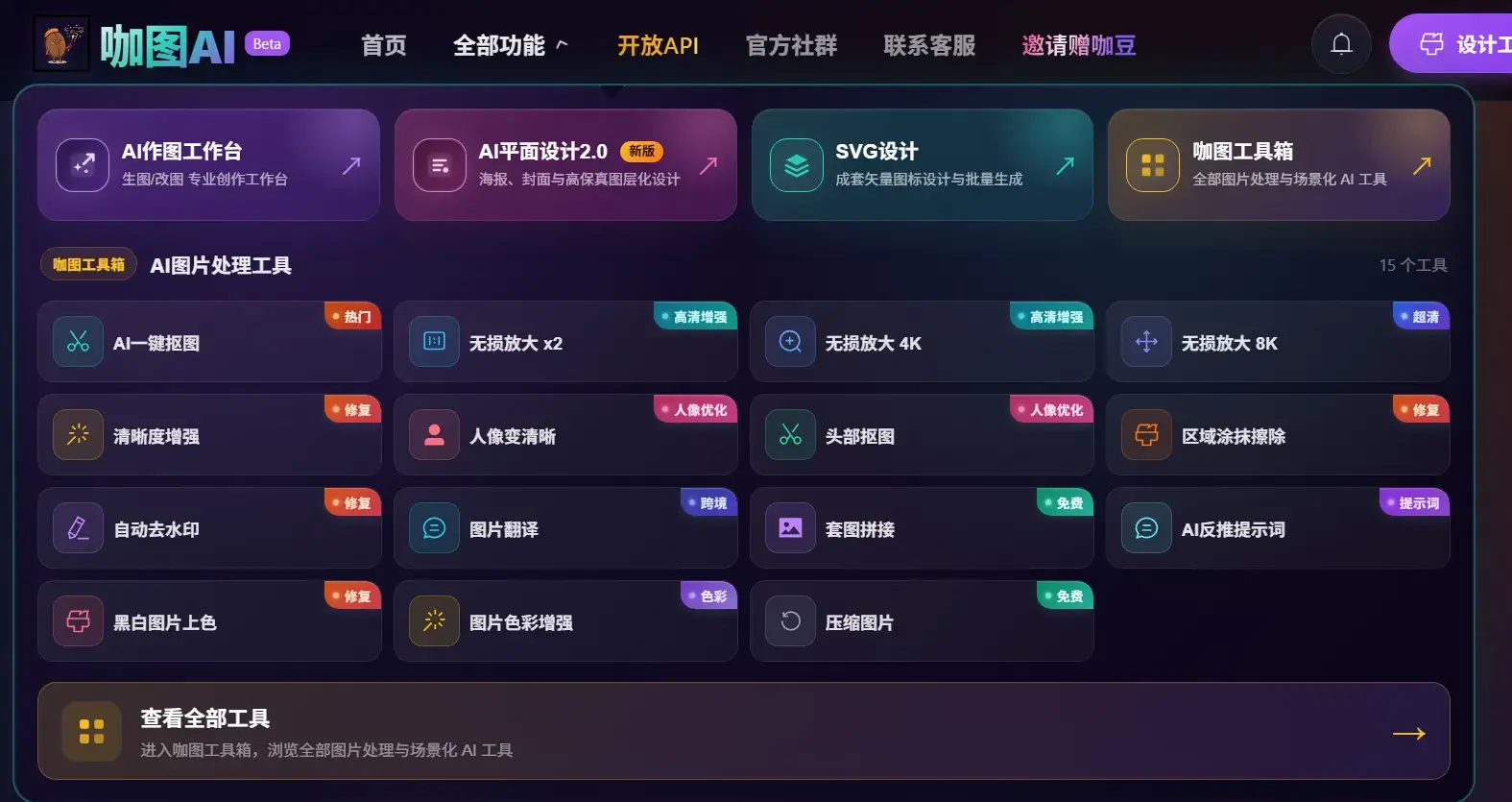
In addition to regular images, it also supports posters, covers, banners, e-commerce main images, SVG icon groups, and PNG to SVG conversion. This shows that it is not only focusing on "artistic creation", but also working in the direction of "designing production tools".
Related