
Image cropping (PixPix)
Proportional cropping and free cropping
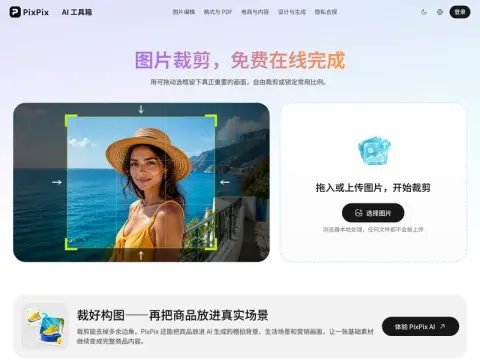
Introduction
Drag the marquee to crop, it can be pulled at all four corners, and mouse touch is supported. The ratio can be free or locked to 1:1, 4:3, 3:4, 16:9, or 9:16. After switching, the selection frame is automatically constrained to the corresponding shape. The export is calculated based on the pixels of the original image, and the preview scaling does not affect the resolution of the finished product; the transparent PNG will still be transparent after cropping.
- Suitable: If the subject is off-center, the image must be recomposed; if there is any debris on the edge, it must be cut off; the same image must be produced in different proportions on multiple platforms; the size must be unified before publishing.
- Not suitable: You want to keep the entire image and just change the canvas size (that's enlarging the image); the proportions are too different and you can't bear to crop it (consider adding a border or blurring the background).
There are three things worth looking at before going under the knife: whether the top and chin of the character have been shaved off, whether the title and logo are at a safe distance from the edge, and whether there are finger corners left on the four sides. There will be another round of secondary cutting on different platforms, and the welt elements will be sacrificed first.