Cubox
Tools for reading, learning, and information management
Introduction
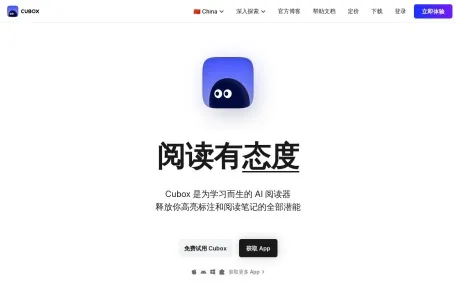
A reader built for learning, with AI-powered automatic interpretation that unlocks the true potential of your highlights and reading notes.
Overview of Cubox
Cubox is a personal knowledge base app for fragmented information, developed by Suzhou Guaiqi Information Technology Co., Ltd. It supports Android and iOS and is designed to help users easily collect, read, and manage fragmented online information, making good use of internet information for personal growth.
Main features of Cubox
Cubox's main features include:
1. Multi-channel information collection: Cubox offers browser extensions, desktop and mobile apps, WeChat forwarding, and other methods, allowing users to easily collect web pages, text, images, audio, video, files, and other content.
2. Smart categorization and management: Cubox automatically organizes, tags, and categorizes saved content, so users can read and search it whenever they want. Users can also manually set tags and collections to manage their content with greater precision.
3. Immersive reading experience: Cubox supports an Article View mode and offers multiple browsing modes to meet the needs of different users. It also lets users annotate and highlight important content, enabling them to understand and absorb information more deeply.
4. AI interpretation and questioning features: Powered by AI 2.0 technology, Cubox can automatically summarize content, interpret key issues, auto-tag, answer questions, and analyze information, greatly improving users’ reading efficiency.
5. Cross-platform sync: Cubox supports automatic data synchronization across different devices, allowing users to access their saved content anytime and anywhere.
Features of Cubox
Cubox's key features are mainly reflected in the following aspects:
1. Simple and easy to use: Cubox has a clean, elegant interface and an intuitive workflow, allowing users to get started easily and quickly master how to use it.
2. Feature-rich: Cubox offers a rich set of bookmark management features, supports the collection and management of various types of content, and meets users' diverse needs.
3. Intelligent services: Using AI technology, Cubox can automatically analyze content saved by users, extract key information and summaries, and improve their work and learning efficiency.
4. Data security assurance: Cubox uses cloud computing technology to store and manage user data, enabling real-time data synchronization and backup to ensure user data security.
Who Cubox Is For
Cubox is suitable for the following people:
1. Online information collectors: For people who enjoy browsing and collecting various types of online information, Cubox is an efficient management tool.
2. Working professionals who need to manage bookmarks efficiently: Professionals often need to collect and research various materials, and Cubox can help them organize important information such as work inspiration and meeting notes.
3. Students: Students can use Cubox to organize their study materials and improve their learning efficiency.
4. Internet users who enjoy trying new tools: As an innovative information management tool, Cubox has attracted a large number of internet users who like experimenting with new tools.
Cubox Usage FAQs
While using Cubox, users may encounter the following common issues:
1. Why doesn’t an article I just saved open with its full text? All article text fetching and parsing in Cubox are handled through the Cubox cloud service. A newly saved article may take some time to finish parsing and sync to the client. You can try opening the client again later or refreshing the data to make sure it is up to date.
2. Why do some newly saved bookmarks have the title “Saved from xxx”: To ensure Cubox can process bookmarks quickly, if the information currently being saved does not include the website title, Cubox will use “Saved from xxx” as a temporary placeholder. The Cubox cloud service will automatically retrieve the corresponding bookmark information in the background and sync it to the client later.
3. Why some websites' icons don't display properly: Some websites don't output their icons in a standard format, or some websites' icon URLs are inaccessible in mainland China, causing their website icons to fail to display properly. Cubox will replace them with a default icon.
4. What should you do if there are issues with data and account data synchronization: If a user finds inconsistent data across different devices logged into the same account, they can try troubleshooting by manually refreshing the data on each device, completely exiting the app and reopening it and waiting a moment, logging out of the account on each device and then logging back in, or checking whether the device's network connection is abnormal.
The above provides a detailed introduction to Cubox, covering its overview, main features, characteristics, target users, and answers to common questions about using it.