
NoteGPT
Generate papers with one click
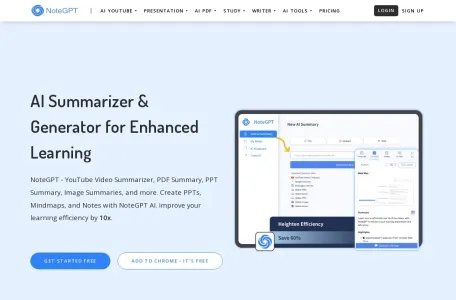
Introduction
Paper weight reduction assistant, a powerful AI assistant.
AI paper writing:Enter a topic to generate a paper with one click. You can set the writing style and support multiple languages. There are also supporting AI detection and AI humanization, a one-stop assistant for paper creation, detection, and weight reduction, which can be used for free.
AI PPT:You can generate PPT by directly uploading the PDF of the paper, which takes only 5 minutes, which is less than 2 hours.
AI Chat:Seamless switching of popular AI tools such as ChatGPT, DeepSeek, and Claud
NoteGPT is a learning and work productivity tool integrated with advanced artificial intelligence technology. Its core function is to realize one-click audio and video AI summary, aiming to help users quickly refine key information in video and audio content.
NoteGPT main functions
The main functions of NoteGPT include but are not limited to:
1. One-click summary of audio and video AI: NoteGPT can automatically analyze audio and video files, extract core content and key points, and generate concise summaries to help users quickly grasp the gist of the video and save viewing time.
2. Multi-language translation: NoteGPT supports multi-language translation function. Whether you are learning a foreign language or need to watch foreign language materials, you can obtain accurate translation and summary through NoteGPT's audio and video AI one-click summary function to eliminate language barriers.
3. Mind map generation: While generating a summary, NoteGPT can also present the content in the form of a mind map, helping users better understand and remember learning content, and structuring and graphicalizing complex information.
4. AI Q&A: Users can interact with NoteGPT through the AI Q&A function to obtain more information and analysis suggestions about audio and video content.
5. Personal note library: NoteGPT allows users to save all summary contents into a personal note library for subsequent reference and review.
NoteGPT features
The characteristics of NoteGPT are mainly reflected in the following aspects:
1. Efficiency: NoteGPT uses AI technology to quickly and accurately extract important information from audio and video, greatly improving the efficiency of learning and work.
2. Cross-platform support: NoteGPT supports one-click AI summary of local audio and video, and also supports summary on YouTube, blogs, Google and other platforms, ensuring that users of different devices can smoothly use its audio and video AI one-click summary function.
3. Ease of use: NoteGPT exists in the form of web applications and browser plug-ins. Users can choose the appropriate version according to their own usage habits. Web applications are convenient for users to use on various devices, while plug-ins can be operated directly in the browser, improving the convenience of use.
4. Versatility: In addition to the audio and video AI one-click summary function, NoteGPT also supports summary of multiple file types such as PDF and Word, and has intelligent generation functions, such as generating mind maps, PPT, poetry, creativity, lyrics and other content to help users better organize and display information.
NoteGPT is suitable for people
NoteGPT is suitable for a wide range of learners and professionals, including but not limited to students, teachers, researchers, lawyers, international trade experts and trainers, etc. Anyone who needs to efficiently manage and study large amounts of content can benefit from NoteGPT. Especially for those who need to quickly understand and organize information, NoteGPT is undoubtedly an indispensable assistant.
NoteGPT usage FAQ
Regarding the frequently asked questions about the use of NoteGPT, due to the diversity and real-time nature of specific problems, it is impossible to list them all. But generally speaking, users may encounter some of the following problems:
1. How to install and use NoteGPT: Users can register for free by visiting the official website of NoteGPT, and follow the prompts to install the web application or browser plug-in. When using it, you only need to upload or copy and link the audio and video files that need to be summarized to the NoteGPT workbench, and select the corresponding function.
2. How accurate is the summary: NoteGPT uses advanced AI technology to analyze and summarize, but due to the complexity of language and content, there may be a certain degree of error. Users should make judgments and modifications based on the actual situation when using it.
3. Which languages and platforms are supported: NoteGPT supports multiple languages and platforms, but the specific support may change with version updates. Users should check the latest official instructions or consult customer service for accurate information before use.
For other specific questions, users can refer to NoteGPT’s official documentation or contact customer service for help.